VRChat

【VRChat】ふたりのキスシステム|PC対応・自動表情と手添え

  • ダウンロード商品
    ¥ 1,500

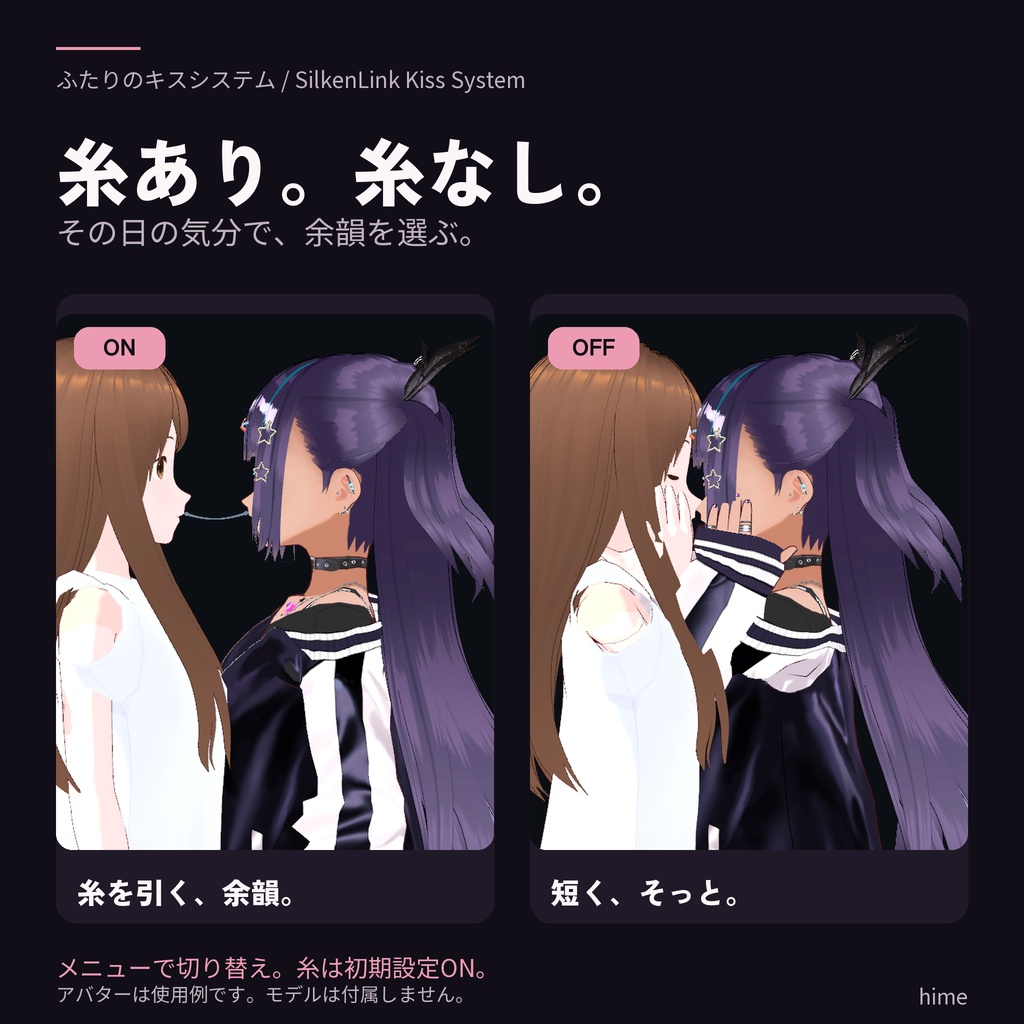
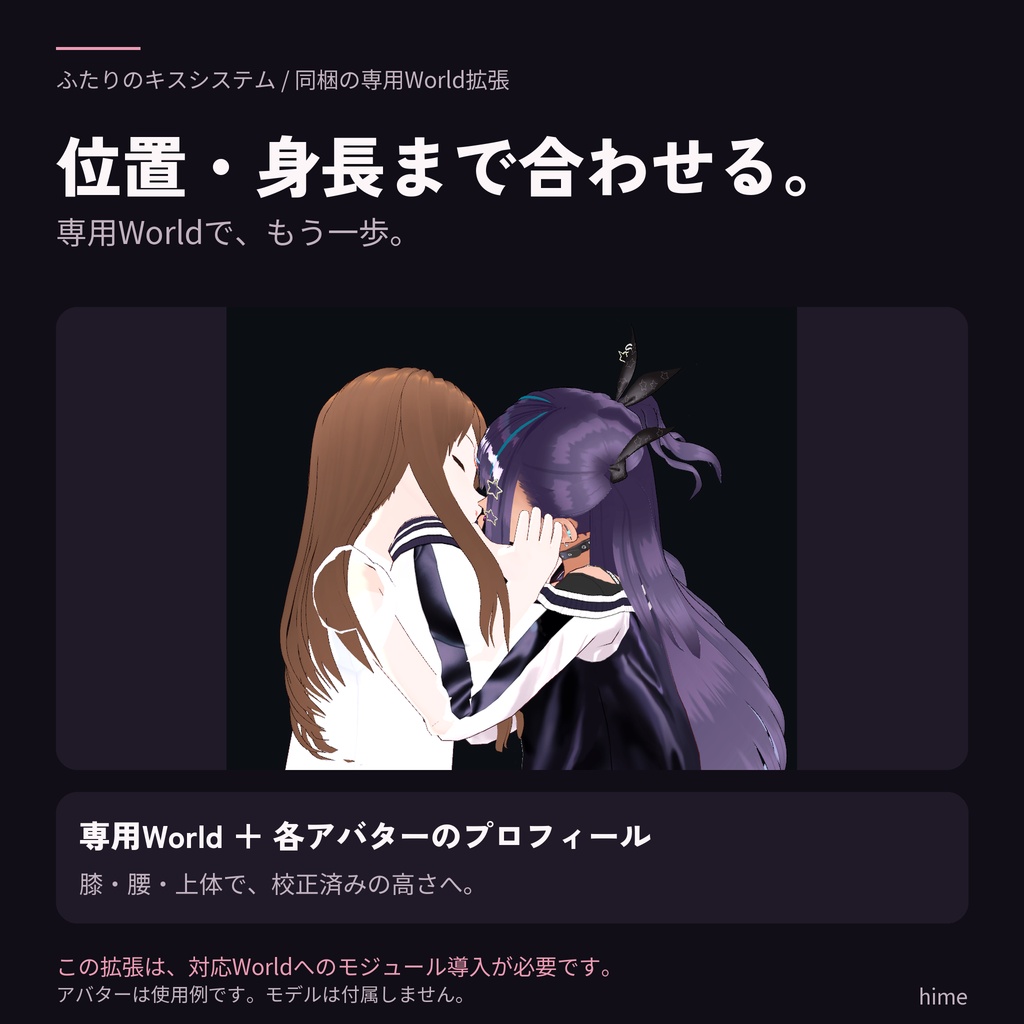
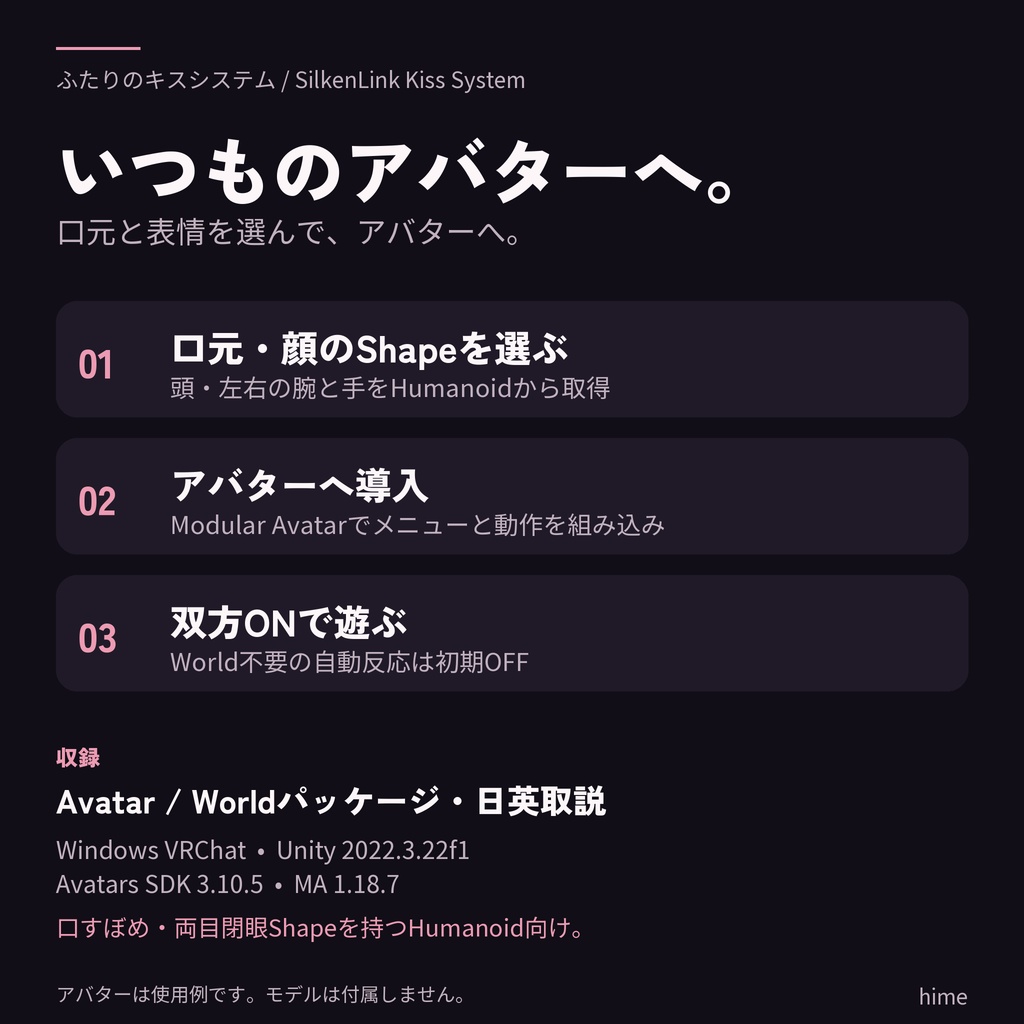
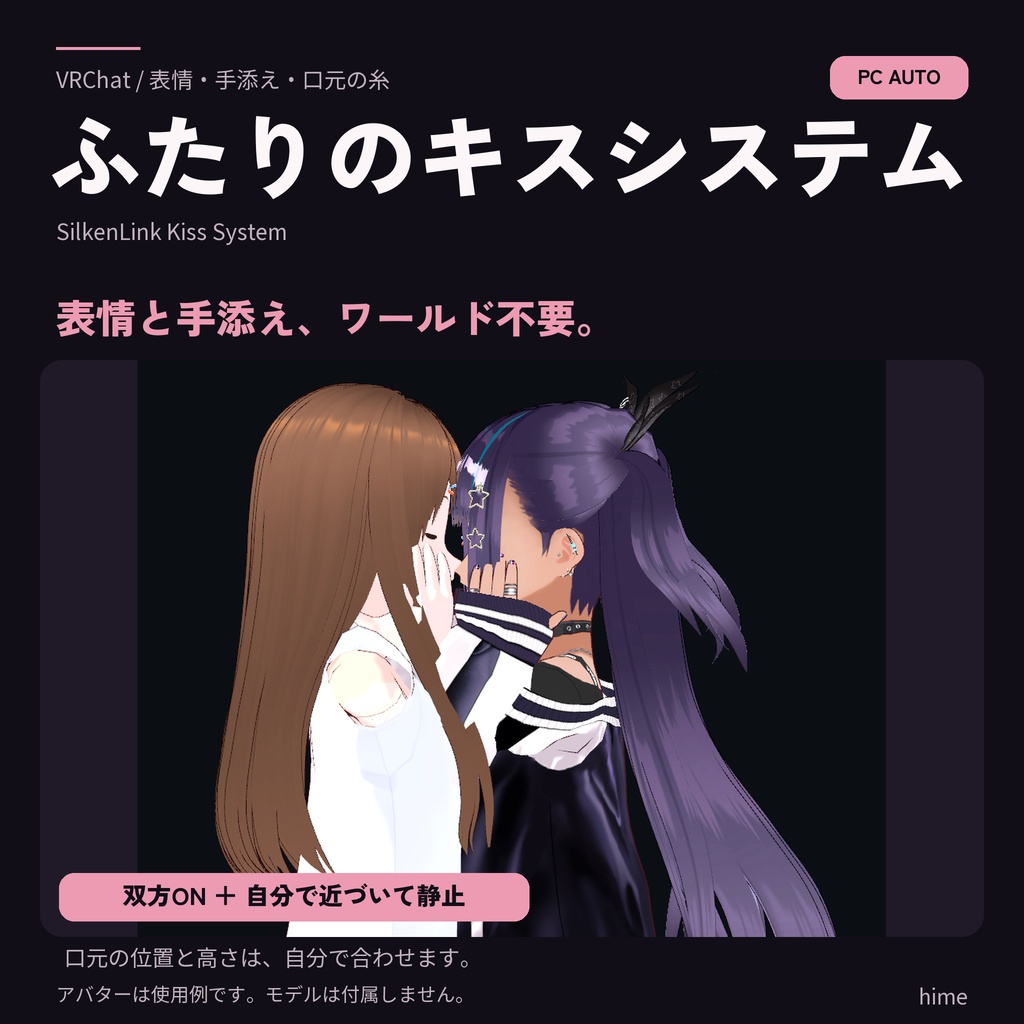
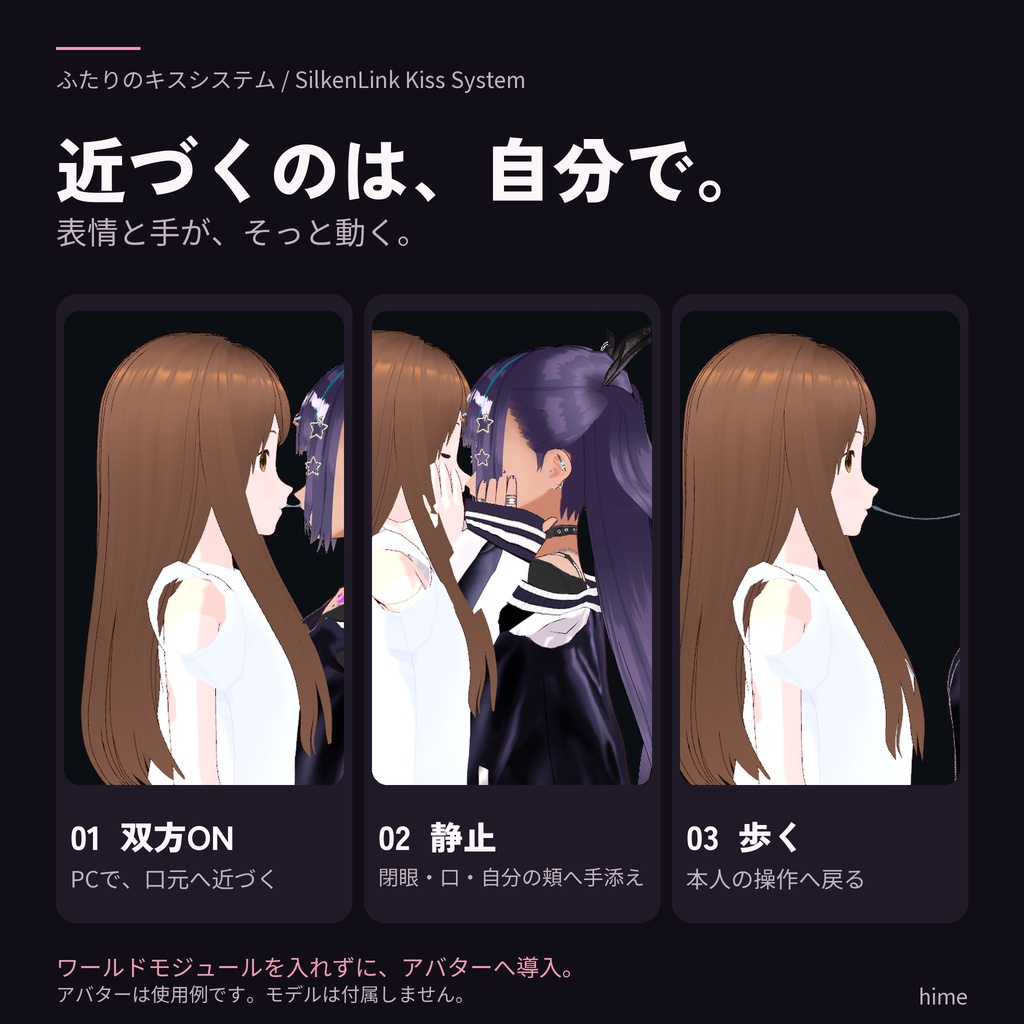
ワールド導入なしで、表情と手添え。 ふたりのキスシステム(SilkenLink Kiss System)は、口元の糸・表情・控えめな手添えを、お持ちのVRChatアバターへ追加するギミックです。 PCの双方がONにして静止すると、口元の近さに合わせて閉眼・口の表情、自分の頬付近への手添え、小さな頭の傾きを再生します。 ■ 自分で近づく。表情と手は、そっと。 口元の位置と高さは、自分で歩いたりしゃがんだりして合わせます。メニューの「自動反応 / Avatar-only」は初期OFF。使いたいときに双方がONにし、PC操作で接地して約1.2秒静止します。 歩く・体の向きを変える・ジャンプ・メニューOFF・手動表情の選択で、素早く本人の操作へ戻ります。口元が離れると、表情と手を穏やかに戻します。 ■ 好きな動きでも楽しめる 自動反応をOFFにすれば、本人の頭・手・表情の操作で口元を近づけて遊べます。VR操作でも、この通常の口元接触を使えます。 糸は初期ONで、メニューからON / OFFを切り替え可能。口元を近づけて離すと糸が反応します。 笑顔・口すぼめ・半眼・閉眼・照れ・会話口の手動表情も収録しています。 ■ もっと合わせる、専用World拡張 専用Worldへ同梱のモジュールと各アバターの校正プロフィールを登録すると、PCの2人の位置と高さまで合わせる自動接近を追加できます。 膝・腰・上体で、両者の校正範囲に収まる高さへ合わせます。こちらは、Worldモジュールと双方の対応プロフィールを導入したワールドで使用します。 ■ 日英対応(v0.8.1) Unity設定画面で日本語 / Englishを選択。項目・案内・エラーが切り替わり、選択は保存されます。ゲーム内メニューは日英併記です。 ■ 導入 導入ツール・配布名:SilkenLink(旧名:くちもとリンク)。 1. Avatarパッケージをインポートし、口元の位置と顔のBlendShapeを選ぶ。 2. Modular Avatarがメニューと動作設定を組み込み。VRChatへアバターをアップロード。 3. Worldで位置・高さも合わせる場合は、プロフィールを書き出して専用Worldへ登録。 頭と両手はHumanoidから取得し、口元はSceneビューのハンドルで合わせます。小物用Contact Prefabをアバター上の小物へ配置すると、先端の接触にも反応します。 ■ 同梱物・使用環境 Avatar / WorldのUnityパッケージ、日英の導入・操作説明、利用条件、クレジット。 Windows版VRChat / Unity 2022.3.22f1 / VCCプロジェクト。 アバター:Avatars SDK 3.10.5、Modular Avatar 1.18.7、NDMF 1.14.8。 World拡張:Worlds SDK 3.10.5(UdonSharpを含む)、平坦な床とCollider。 モデル:Humanoid、Avatar Descriptor、有効な頭と左右の上腕・前腕・手、口すぼめ・両目閉眼のBlendShape。 アップロード:アップロード権限を持つVRChatアカウント。 双方でアバターの接触(Avatar Interactions)を許可してください。 自動反応は、双方のv0.8系設定アバターをPC操作で使用し、AFKを解除してStationの外で、手動表情を通常にして参加します。手添えは自分の頬付近の固定ポーズです。表情・手の見え方とWorldでの高さの可動範囲は、モデルの骨・顔のShapeに応じて決まります。解除はアバターの速度・回転・口元の距離・接地状態をもとに判断します。 糸は追加するPoint Lightを使います。アバターのShaderとLight表示を有効にし、近くの1組を基準に使用してください。追加するLight 1個はPerformance Rankの算定対象です。 画像・映像のアバターは使用例で、モデルは付属しません。 Unity上の実アバター再生と新規プロジェクトへの導入、SDKビルドで確認しています。実VRChatの2人装着・同期・一人称の検証は継続予定です。 ■ 利用条件・サポート 購入者本人の改変、VRChatのアバター・ワールドへの組み込み、商用利用、動画・配信での利用が可能です。ソース・Unityパッケージ・取り出して使える素材の再配布と再販売は禁止します。改変したものも同様です。使用するアバター・小物・シェーダーは各原作者の利用条件に従ってください。詳細は同梱のLICENSEを参照してください。 導入のお問い合わせはBOOTHのショップメッセージへ。商品・Unity・SDKのバージョン、使用モデル、発生手順を添えてください。 ■ 制作について ふたりのキスシステムの実装・メッシュ・シェーダー・アニメーション・効果音・導入ツールはhimeが制作しています。コード・制作手順・文章の作成と確認に生成AIを用いています。紹介画像・動画は、実装したアニメーションとギミックをUnityで描画・編集しています。 紹介モデル:VRM1_Constraint_Twist_Sample(pixiv Inc.)、AvatarSample B(VRoid Project / pixiv Inc.)。各モデルの利用条件に従って使用しています。制作:hime。 ―― English ―― SilkenLink Kiss System for VRChat Add mouth-contact strands, facial animation and a gentle hand pose to your VRChat avatar. Both Desktop players opt in, bring their mouths close and stay still to play expressions with a restrained pose near the wearer's own cheeks. No world-module installation is needed for the avatar-side feature. MOVE CLOSER YOURSELF Choose your mouth position and height with movement and crouching. The `Avatar-only` reaction menu defaults to OFF. Both participants enable it and remain grounded and still for about 1.2 seconds. Walking, turning, jumping, disabling the menu or choosing a manual expression cancels quickly. Mouth separation returns the face and hands gently. Cancellation uses avatar velocity, rotation, mouth proximity and grounded state. PLAY WITH YOUR OWN MOVEMENT Turn automatic expressions OFF to use your own head, hand and facial controls. This ordinary mouth-contact mode also works with VR movement. Strands default to ON and can be switched OFF. Six manual expression presets are included. OPTIONAL DEDICATED-WORLD ALIGNMENT The included World module adds coordinated PC positions and calibrated height alignment. Register both avatars' profiles in the dedicated world, then use knees, hips and upper-body movement within the profiles' supported ranges. SETUP LANGUAGE (v0.8.1) Choose Japanese or English in Unity setup. Labels, guidance and errors follow your saved choice. In-game menus are bilingual. SETUP Import the Avatar package, select the mouth position and facial BlendShapes, then upload using Modular Avatar. Add exported profiles and the World package when you also want coordinated positions and heights. A Contact prefab can be added to an avatar-mounted prop. INCLUDED & REQUIREMENTS Avatar and World unitypackages; Japanese/English instructions, licenses and credits. Windows VRChat; Unity 2022.3.22f1; VCC projects. Avatar: Avatars SDK 3.10.5, Modular Avatar 1.18.7, NDMF 1.14.8; valid Humanoid, Avatar Descriptor, head and complete upper-arm, lower-arm and hand bones on both sides, pucker and both-eye closure BlendShapes. Optional World: Worlds SDK 3.10.5 including UdonSharp; flat walkable ground with Colliders and compatible profiles. A VRChat account with upload permission is needed to upload. Both participants must allow Avatar Interactions with each other. Automatic reactions and the fixed pose near your own cheeks are intended for Desktop use with v0.8.x on both avatars, AFK off, outside Stations and manual expressions set to Original. Appearance depends on the model's rig and BlendShapes. Strands use an added Point Light; enable avatar shaders and lights and use a nearby pair as the display reference. The Light contributes to Performance Rank. Shown avatars are examples and are not included. Validated with real-avatar animation playback in Unity, installation into a fresh project and an SDK build. Two-avatar use, synchronization and first-person views in the VRChat client are planned for continued testing. LICENSE & SUPPORT Modification, avatar/world integration, commercial use, videos and streaming are allowed. Redistribution or resale of the source, packages or extractable assets is prohibited, including modified versions. Third-party material licenses continue to apply. Contact the shop through BOOTH messages for support. PRODUCTION Created by hime with generative-AI assistance for code, production procedures, copy and review. Promotional visuals are Unity renders of the implemented animations and effects, followed by editing. Demonstration models: VRM1_Constraint_Twist_Sample (pixiv Inc.) and AvatarSample B (VRoid Project / pixiv Inc.), used under their respective licenses.
【VRChat】ふたりのキスシステム|PC対応・自動表情と手添え
ワールド導入なしで、表情と手添え。 ふたりのキスシステム(SilkenLink Kiss System)は、口元の糸・表情・控えめな手添えを、お持ちのVRChatアバターへ追加するギミックです。 PCの双方がONにして静止すると、口元の近さに合わせて閉眼・口の表情、自分の頬付近への手添え、小さな頭の傾きを再生します。 ■ 自分で近づく。表情と手は、そっと。 口元の位置と高さは、自分で歩いたりしゃがんだりして合わせます。メニューの「自動反応 / Avatar-only」は初期OFF。使いたいときに双方がONにし、PC操作で接地して約1.2秒静止します。 歩く・体の向きを変える・ジャンプ・メニューOFF・手動表情の選択で、素早く本人の操作へ戻ります。口元が離れると、表情と手を穏やかに戻します。 ■ 好きな動きでも楽しめる 自動反応をOFFにすれば、本人の頭・手・表情の操作で口元を近づけて遊べます。VR操作でも、この通常の口元接触を使えます。 糸は初期ONで、メニューからON / OFFを切り替え可能。口元を近づけて離すと糸が反応します。 笑顔・口すぼめ・半眼・閉眼・照れ・会話口の手動表情も収録しています。 ■ もっと合わせる、専用World拡張 専用Worldへ同梱のモジュールと各アバターの校正プロフィールを登録すると、PCの2人の位置と高さまで合わせる自動接近を追加できます。 膝・腰・上体で、両者の校正範囲に収まる高さへ合わせます。こちらは、Worldモジュールと双方の対応プロフィールを導入したワールドで使用します。 ■ 日英対応(v0.8.1) Unity設定画面で日本語 / Englishを選択。項目・案内・エラーが切り替わり、選択は保存されます。ゲーム内メニューは日英併記です。 ■ 導入 導入ツール・配布名:SilkenLink(旧名:くちもとリンク)。 1. Avatarパッケージをインポートし、口元の位置と顔のBlendShapeを選ぶ。 2. Modular Avatarがメニューと動作設定を組み込み。VRChatへアバターをアップロード。 3. Worldで位置・高さも合わせる場合は、プロフィールを書き出して専用Worldへ登録。 頭と両手はHumanoidから取得し、口元はSceneビューのハンドルで合わせます。小物用Contact Prefabをアバター上の小物へ配置すると、先端の接触にも反応します。 ■ 同梱物・使用環境 Avatar / WorldのUnityパッケージ、日英の導入・操作説明、利用条件、クレジット。 Windows版VRChat / Unity 2022.3.22f1 / VCCプロジェクト。 アバター:Avatars SDK 3.10.5、Modular Avatar 1.18.7、NDMF 1.14.8。 World拡張:Worlds SDK 3.10.5(UdonSharpを含む)、平坦な床とCollider。 モデル:Humanoid、Avatar Descriptor、有効な頭と左右の上腕・前腕・手、口すぼめ・両目閉眼のBlendShape。 アップロード:アップロード権限を持つVRChatアカウント。 双方でアバターの接触(Avatar Interactions)を許可してください。 自動反応は、双方のv0.8系設定アバターをPC操作で使用し、AFKを解除してStationの外で、手動表情を通常にして参加します。手添えは自分の頬付近の固定ポーズです。表情・手の見え方とWorldでの高さの可動範囲は、モデルの骨・顔のShapeに応じて決まります。解除はアバターの速度・回転・口元の距離・接地状態をもとに判断します。 糸は追加するPoint Lightを使います。アバターのShaderとLight表示を有効にし、近くの1組を基準に使用してください。追加するLight 1個はPerformance Rankの算定対象です。 画像・映像のアバターは使用例で、モデルは付属しません。 Unity上の実アバター再生と新規プロジェクトへの導入、SDKビルドで確認しています。実VRChatの2人装着・同期・一人称の検証は継続予定です。 ■ 利用条件・サポート 購入者本人の改変、VRChatのアバター・ワールドへの組み込み、商用利用、動画・配信での利用が可能です。ソース・Unityパッケージ・取り出して使える素材の再配布と再販売は禁止します。改変したものも同様です。使用するアバター・小物・シェーダーは各原作者の利用条件に従ってください。詳細は同梱のLICENSEを参照してください。 導入のお問い合わせはBOOTHのショップメッセージへ。商品・Unity・SDKのバージョン、使用モデル、発生手順を添えてください。 ■ 制作について ふたりのキスシステムの実装・メッシュ・シェーダー・アニメーション・効果音・導入ツールはhimeが制作しています。コード・制作手順・文章の作成と確認に生成AIを用いています。紹介画像・動画は、実装したアニメーションとギミックをUnityで描画・編集しています。 紹介モデル:VRM1_Constraint_Twist_Sample(pixiv Inc.)、AvatarSample B(VRoid Project / pixiv Inc.)。各モデルの利用条件に従って使用しています。制作:hime。 ―― English ―― SilkenLink Kiss System for VRChat Add mouth-contact strands, facial animation and a gentle hand pose to your VRChat avatar. Both Desktop players opt in, bring their mouths close and stay still to play expressions with a restrained pose near the wearer's own cheeks. No world-module installation is needed for the avatar-side feature. MOVE CLOSER YOURSELF Choose your mouth position and height with movement and crouching. The `Avatar-only` reaction menu defaults to OFF. Both participants enable it and remain grounded and still for about 1.2 seconds. Walking, turning, jumping, disabling the menu or choosing a manual expression cancels quickly. Mouth separation returns the face and hands gently. Cancellation uses avatar velocity, rotation, mouth proximity and grounded state. PLAY WITH YOUR OWN MOVEMENT Turn automatic expressions OFF to use your own head, hand and facial controls. This ordinary mouth-contact mode also works with VR movement. Strands default to ON and can be switched OFF. Six manual expression presets are included. OPTIONAL DEDICATED-WORLD ALIGNMENT The included World module adds coordinated PC positions and calibrated height alignment. Register both avatars' profiles in the dedicated world, then use knees, hips and upper-body movement within the profiles' supported ranges. SETUP LANGUAGE (v0.8.1) Choose Japanese or English in Unity setup. Labels, guidance and errors follow your saved choice. In-game menus are bilingual. SETUP Import the Avatar package, select the mouth position and facial BlendShapes, then upload using Modular Avatar. Add exported profiles and the World package when you also want coordinated positions and heights. A Contact prefab can be added to an avatar-mounted prop. INCLUDED & REQUIREMENTS Avatar and World unitypackages; Japanese/English instructions, licenses and credits. Windows VRChat; Unity 2022.3.22f1; VCC projects. Avatar: Avatars SDK 3.10.5, Modular Avatar 1.18.7, NDMF 1.14.8; valid Humanoid, Avatar Descriptor, head and complete upper-arm, lower-arm and hand bones on both sides, pucker and both-eye closure BlendShapes. Optional World: Worlds SDK 3.10.5 including UdonSharp; flat walkable ground with Colliders and compatible profiles. A VRChat account with upload permission is needed to upload. Both participants must allow Avatar Interactions with each other. Automatic reactions and the fixed pose near your own cheeks are intended for Desktop use with v0.8.x on both avatars, AFK off, outside Stations and manual expressions set to Original. Appearance depends on the model's rig and BlendShapes. Strands use an added Point Light; enable avatar shaders and lights and use a nearby pair as the display reference. The Light contributes to Performance Rank. Shown avatars are examples and are not included. Validated with real-avatar animation playback in Unity, installation into a fresh project and an SDK build. Two-avatar use, synchronization and first-person views in the VRChat client are planned for continued testing. LICENSE & SUPPORT Modification, avatar/world integration, commercial use, videos and streaming are allowed. Redistribution or resale of the source, packages or extractable assets is prohibited, including modified versions. Third-party material licenses continue to apply. Contact the shop through BOOTH messages for support. PRODUCTION Created by hime with generative-AI assistance for code, production procedures, copy and review. Promotional visuals are Unity renders of the implemented animations and effects, followed by editing. Demonstration models: VRM1_Constraint_Twist_Sample (pixiv Inc.) and AvatarSample B (VRoid Project / pixiv Inc.), used under their respective licenses.